

How to set up
Go to X Developer Console to get API Key (Consumer Key), API Secret (Consumer Secret), Access Token, and Access Token Secret.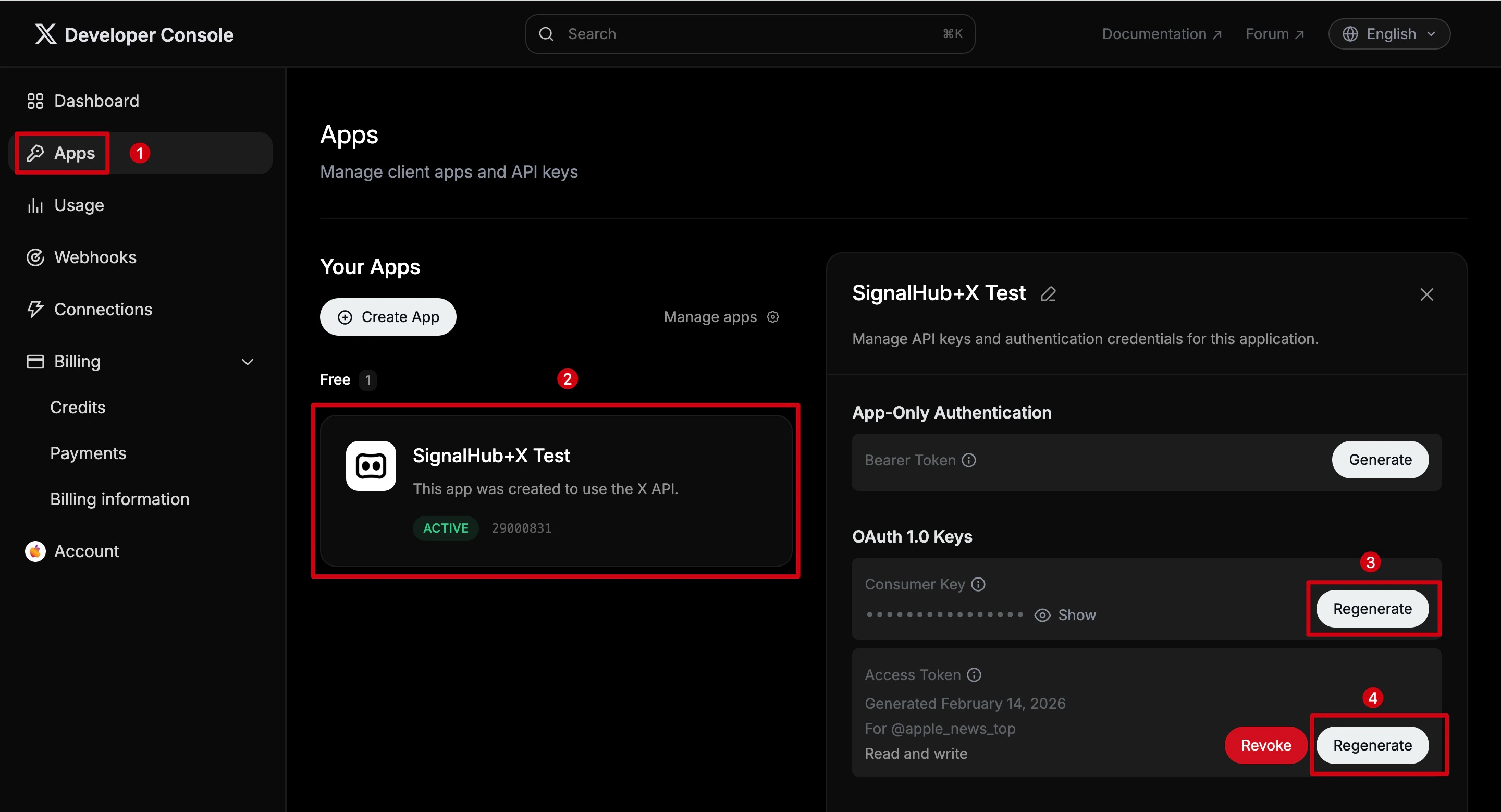
1
Go to Apps page
Click Apps in the left sidebar.
2
Select your app
Click on your app to open its settings. If you don’t have an app yet, click Create App to create one.
3
Get Consumer Key and Consumer Secret
Under OAuth 1.0 Keys, click Regenerate to get your API Key (also known as Consumer Key) and API Secret (also known as Consumer Secret).
4
Get Access Token and Access Token Secret
Under Access Token, click Regenerate to get your Access Token and Access Token Secret. Make sure the permission is Read and write.