> ## Documentation Index
> Fetch the complete documentation index at: https://docs.getsignalhub.com/llms.txt
> Use this file to discover all available pages before exploring further.
# X/Twitter
> Send notifications to X/Twitter
## How to set up
Go to [X Developer Console](https://console.x.com/) to get API Key (Consumer Key), API Secret (Consumer Secret), Access Token, and Access Token Secret.
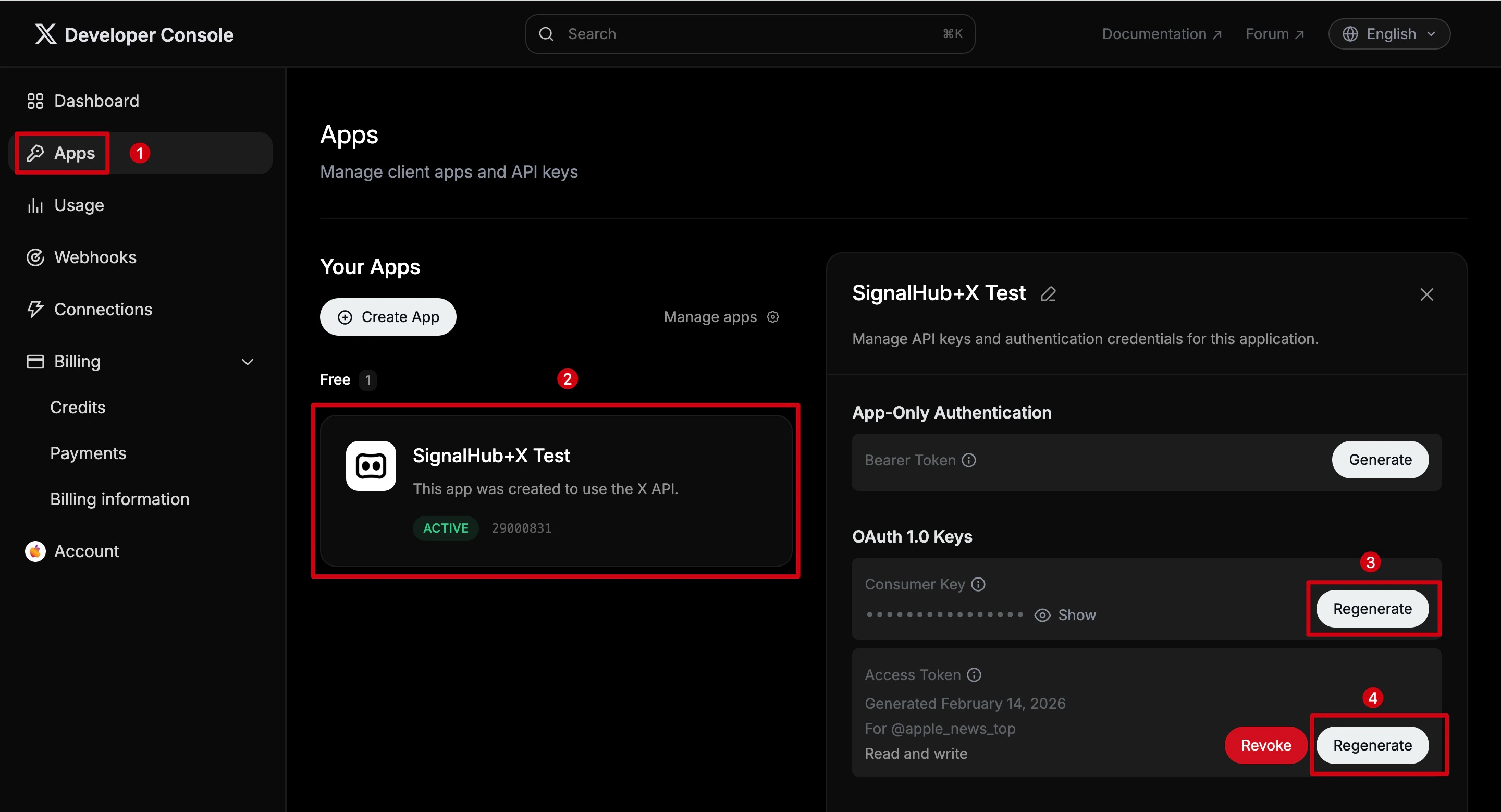 Click **Apps** in the left sidebar.
Click on your app to open its settings. If you don't have an app yet, click **Create App** to create one.
Under **OAuth 1.0 Keys**, click **Regenerate** to get your API Key (also known as Consumer Key) and API Secret (also known as Consumer Secret).
Under **Access Token**, click **Regenerate** to get your Access Token and Access Token Secret. Make sure the permission is **Read and write**.
Copy and save all keys and secrets immediately after regenerating. They will only be shown once.
Click **Apps** in the left sidebar.
Click on your app to open its settings. If you don't have an app yet, click **Create App** to create one.
Under **OAuth 1.0 Keys**, click **Regenerate** to get your API Key (also known as Consumer Key) and API Secret (also known as Consumer Secret).
Under **Access Token**, click **Regenerate** to get your Access Token and Access Token Secret. Make sure the permission is **Read and write**.
Copy and save all keys and secrets immediately after regenerating. They will only be shown once.